 NL
NL
Internet costs in a cruise package may seem like a minor detail, but they can really add up. Many travellers don’t look into Wi‑Fi packages beforehand. As a result, they easily end up paying between 100 and 350 euros for a one‑week cruise. That’s on top of other cruise expenses. Good preparation is important. Compare prices, speeds and alternatives. That way you know exactly what to expect and you avoid unpleasant surprises afterwards.
Internet at sea is expensive. It is more expensive than internet on land. This is due to satellite technology. That technology is both slow and costly. Cruise lines charge between 15 and 50 euros per day per device, depending on the type of package. For a seven‑day cruise this quickly mounts up. The costs especially stand out if you are travelling with several people. To get a complete picture of all potential costs on board, you can read more about cruise prices and hidden costs.
Cruise lines use different prices. Some offer free Wi‑Fi with certain cabins or promotions. Other cruise lines always charge passengers. Speeds vary. Data limits also differ. Read the terms and conditions carefully. Compare packages in advance.
How much does Wi‑Fi on a cruise ship cost per cruise line?
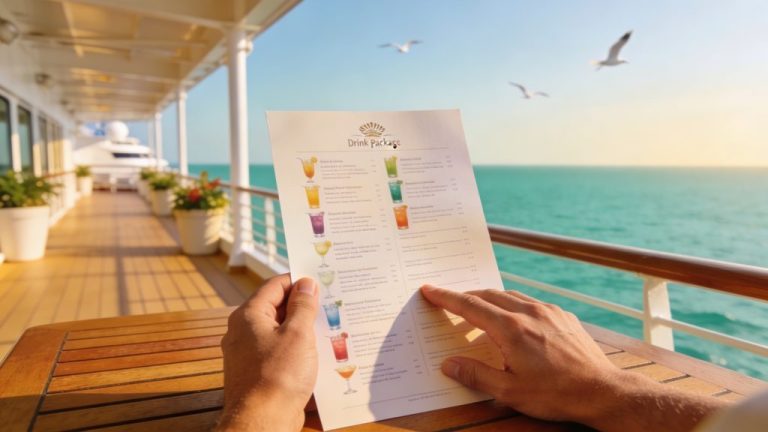
The cost of internet on board varies greatly per cruise line and ship. Most cruise companies offer several packages. You’ll find a basic package for browsing and email. In addition, there is a premium package for video calls and streaming. Below is an overview of typical prices:
- MSC Cruises: A browse package for a week starts at 14.90 euros. This package offers unlimited data, suitable for email and chat apps but without video. The Browse & Stream package starts at 39.99 euros and supports video chat and streaming.
- AIDA: A basic chat package costs 1 euro per day. For full internet use you pay around 15 euros per day via the Premium Internet Flat package.
- Holland America: The Surf package, part of the Have It All deal, works out at around 18 dollars for seven days and is suitable for email and news. The Premium package costs around 24 dollars per week and offers broader access.
- Costa: The Social package for WhatsApp and social media starts at around 14 to 15 euros.
- More luxurious cruise lines: Companies such as Regent Seven Seas and Viking Ocean sometimes offer free unlimited Wi‑Fi, especially with suites or during special promotions.
The prices are per day. They apply to one device. If you want to go online with several devices, you pay separately for each device. Some cruise lines allow you to share a connection via a hotspot, but check this in advance. Booking ahead often saves money. Packages are cheaper online than on board, and early bookings sometimes give you an extra discount.
‘ Ship Wi‑Fi stays slow, even with more expensive packages. ’
Which Wi‑Fi package suits your trip?
You choose a package. What you want to do online is the deciding factor. Do you use the internet lightly? Then a basic package is enough. This package is suitable for a WhatsApp message or checking email. If you want to make video calls with people at home or watch Netflix, you’ll need a premium package. Ship Wi‑Fi stays slow, even with more expensive packages.
Many travellers report that Wi‑Fi on board is slow. Video calls often don’t run smoothly. Even with a premium package you rarely get above 5 Mbps, which is very slow compared with speeds at home. This is due to the satellite connection. That connection is sensitive to weather and to the number of users on board. There are busy times, for example in the evening after dinner. Then speeds can drop even further.
Do you only want to keep up with social media? Then choose a social‑only package. These packages cost between 1 and 5 euros per day and give access to apps like WhatsApp, Facebook and Instagram. Streaming or working remotely is not possible with this. For holiday use it is often enough.
Roaming and satellite risks at sea
Important: switch off your mobile data. Do this as soon as you leave land. At sea your phone automatically connects to a satellite network. That network is extremely expensive. Costs can become very high. Dozens of euros per megabyte are not unusual. A single forgotten update can already cost hundreds of euros. An automatic backup can also cost a lot of money very quickly.
Turn off roaming in your phone settings. Leave it off until you are back in a port. In ports you can often switch to a local network. You can also activate an eSIM there. This is cheaper and faster than ship Wi‑Fi. eSIM providers offer packages for multiple countries. These usually cost 5 to 15 euros per week. Speeds go up to 100 Mbps.
Tips to save data and cut costs
You can reduce internet costs on a cruise. You don’t have to go completely offline. You just adjust a few things. That way you stay reachable and save hundreds of euros.
- Buy packages in advance: Book your Wi‑Fi online or via your cruise line account. Packages bought on board are often more expensive. Do you still need more data later? In most cases you can upgrade.
- Limit the number of devices: Most packages apply per device. Choose one phone or tablet and share the connection via a hotspot. Check whether this is allowed. Check that the cruise line permits this.
- Use eSIMs in ports: For 20 to 40 euros you can get internet for an entire trip via an eSIM. Ship Wi‑Fi quickly costs 150 to 250 euros. This saves you 130 to 260 euros.
- Download beforehand: Download series, music, maps and other content at home. That way you need less data while travelling.
- Choose social‑only: For chatting and social media a cheap package is enough. Save on premium subscriptions if you don’t need streaming.
- Watch for promotions: Some cruise lines offer free Wi‑Fi with certain cabins. This applies for example to suites. Sometimes it is part of an all‑inclusive deal. Check this when booking.
- Avoid peak times: Go online in the morning or around midday. Fewer passengers are using the Wi‑Fi then. This can improve speeds.
‘ Going offline is a pleasant part of the holiday. ’
Free alternatives: how does that work?
Free internet on a cruise ship is rare. It’s not impossible, though. Some luxury cruise lines include it as standard. This mainly applies to higher cabin categories. Regent Seven Seas and Viking Ocean are known for this, for example. Free Wi‑Fi can also be part of the deal during certain promotions.
On most cruises you have to pay for internet. Do you really want to go online for free? Then look for public Wi‑Fi networks in ports. Cafés often offer free access. Restaurants and shopping centres also often have Wi‑Fi. Public networks are less secure. Keep that in mind. Don’t use sensitive data on an unsecured network. For example, don’t do any online banking.
Another option is to go offline. You then use the cruise as a digital detox. Going offline is a pleasant part of the holiday. Many travellers experience it this way. Email can wait a week. Social media can wait too. In the meantime you can really enjoy the trip.

Real‑life experiences from travellers
Cruise passengers share similar stories about ship Wi‑Fi. The speed is slow. That is a frequent complaint. The high costs also stand out. Even with a premium package, video calls often fail. Travellers therefore increasingly opt for an eSIM. Those work reliably and quickly in ports.
Suites and higher cabin categories regularly get free Wi‑Fi. This is an extra service. So it can be worth considering an upgrade. This is especially true if you want to stay reachable during the cruise. For example, to be reachable for work or family. Families with several devices often choose multi‑device packages. Coverage can sometimes be disappointing in certain cabins.
Experienced cruise travellers offer clear advice. Switch off mobile data. Test Wi‑Fi coverage in your cabin. Do this as soon as you come on board. Then you know where you stand. You also avoid bills that turn out higher than expected afterwards.
Want to discover more about cruising?
Internet costs are just one aspect. A well‑prepared cruise involves more than that. On the Traveler Tips website you’ll find extensive information about cruise prices and hidden costs. You can also read about packing lists, shore excursions and tips. These tips help you get the most out of your trip. Discover more useful articles. Plan your next cruise with confidence.
Frequently asked questions
Internet costs in cruise packages are usually (expensive) satellite Wi‑Fi packages, often €15–50 per day per device, with limited speed and sometimes without streaming. On land‑based trips by car or train you generally use your normal mobile bundle, an (e)SIM or hotel/Wi‑Fi hotspots, which are much cheaper per GB or per day and usually faster. Where on land you often get a week of (almost) unlimited good data for about €10–20, on a cruise you are more likely to pay €100–350 per week for a mediocre connection. As a result, “internet costs” on a cruise for the same usage will often feel many times higher than what you are used to paying for trips over land.
Yes, there are cruise packages (mainly with more luxurious cruise lines such as Regent Seven Seas and Viking) where unlimited internet is already included. With mainstream cruise lines you usually pay for internet separately: as a rough guide, allow around €15–50 per day extra per device for unlimited or broadband‑type packages. Packages without internet are therefore quickly €100–350 per week per passenger cheaper than packages with (unlimited) internet. The exact price difference depends on the cruise line, the type of internet (basic vs premium) and the duration of the cruise.
On cruises you usually have a choice between a basic/surf package (email, WhatsApp, news), a premium/stream package (streaming, video chat, often per device) and sometimes social‑only packages (chat and social media only). Decide your needs in advance: do you just want to be reachable via messaging apps, do you also need to work (VPN), or will you be streaming a lot, and how many devices need to be online at the same time? Then compare, for each cruise line, the daily prices and data limits with your expected usage (for example, just messaging once a day vs being online for hours) and see whether an eSIM or local data in ports could be an alternative. Switch mobile data at sea off completely and book internet packages preferably online in advance to avoid unnecessary costs.
Be aware that internet packages often apply per device, so you have to pay extra for multiple devices. The promised “unlimited” or “premium” connection can in practice be slow, with restrictions on streaming, video calls or VPN use. Daily rates may look low, but over an entire cruise (and/or for several people) this quickly adds up to hundreds of euros. Switch off mobile data at sea to avoid extremely expensive satellite roaming via your own provider.