 NL
NL
The best privacy-friendly alternatives
For travellers looking for a reliable navigation partner that respects their privacy, a few apps stand out. OsmAnd and Magic Earth are two strong examples that both leverage the power of OpenStreetMap, but each with its own focus.
OsmAnd: The power of OpenStreetMap in your hands
OsmAnd (OSM Automated Navigation Directions) is one of the most comprehensive navigation apps for travellers who want complete control. The app is entirely focused on offline use and offers an enormous amount of detail and customisation options. Download maps by country or region, including contour lines for hikers and cyclists, POIs (Points of Interest) and even public transport lines.
The strength of OsmAnd lies in its flexibility. Set up different profiles for driving, cycling, hiking, or boating, each with their own specific route preferences. The maps show details you won’t easily find in other apps, such as the type of road surface, the presence of street lighting, or the location of hiking junctions. The free version of the app allows you to download a limited number of maps. For the serious traveller, the paid version (OsmAnd+) is a small investment that quickly pays for itself.
Magic Earth: Navigation with a focus on simplicity and privacy
Magic Earth is an excellent free alternative that combines privacy with ease of use. The app is clear in its mission: it offers navigation without collecting or tracking your data. There are no advertisements, and the app is not financed by data sales. For the traveller seeking a simple, reliable, and privacy-friendly solution, this is an ideal choice.
Like OsmAnd, Magic Earth uses OpenStreetMap data, ensuring detailed and up-to-date maps. The interface is clear and intuitive, similar to that of more well-known navigation apps. Download maps for entire countries for offline use. The app offers turn-by-turn navigation for car, bicycle, and walking, and also provides public transport information. Features such as lane guidance and speed limits make it a fully-fledged partner for any road trip.
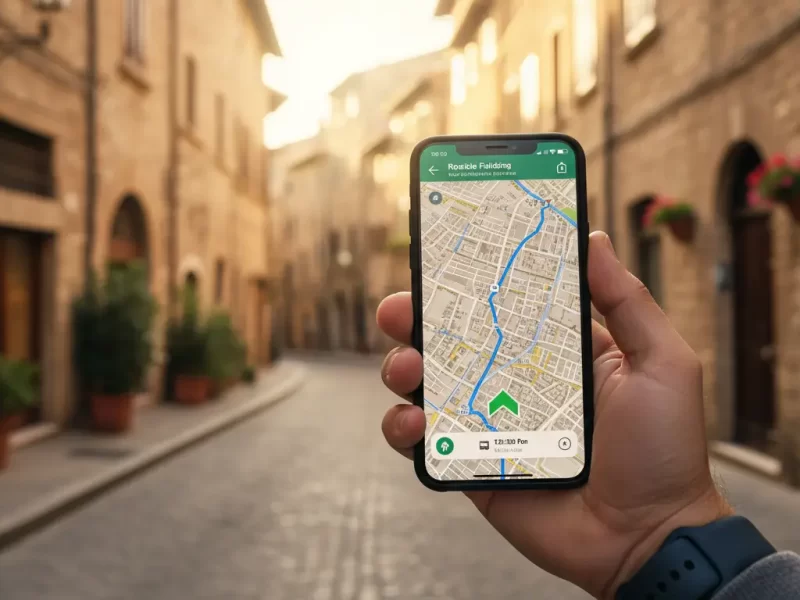
What is the best free alternative for iPhone navigation?
For iPhone users, Apple Maps is the built-in and continually improving standard. Its integration with the iOS system is seamless, and the app has significantly improved in accuracy and features over recent years. However, Apple Maps falls short on one important aspect for the conscious traveller: its offline maps are less comprehensive and flexible than those of specialised apps.
Here, Magic Earth stands out as one of the best free alternatives. The app is completely free for iOS, offers superior offline maps based on OSM data, and has a strong focus on privacy, a value that appeals to many Apple users. The free version of OsmAnd is also a good option, although you are limited in the number of maps you can download. For those who don’t want to spend money but still want the benefits of offline OSM maps, Magic Earth is the most complete choice.
How to switch from Google Maps to OsmAnd?
Switching to a new navigation app like OsmAnd requires a little preparation, but the process is straightforward. Since the app is designed for offline use, it’s important to follow these steps before you travel.
- Download the app and the base map: Install OsmAnd via the App Store (iOS) or Google Play Store (Android). The first time you launch it, the app will ask you to download a world overview map.
- Download the maps for your destination: This is the most important step. Go to ‘Download maps’ in the menu and select the countries or regions you are travelling to. Do this via a Wi-Fi connection, as the map files can be large.
- Set up your profiles: Take some time to explore the settings. Adjust the profiles for car, bike, and walking. Consider setting your preferences for toll roads, unpaved roads, or specific cycle paths.
- Practise with the interface: Plan a few routes in your local area to familiarise yourself with the interface. Search for addresses, save favourite locations, and try out the different map layers. This way, you’ll know exactly how everything works when you’re on the go.
The right navigation app is an important part of your travel preparation. On the Traveler Tips website, you’ll find many more practical articles about planning your route, choosing the right equipment, and discovering the most beautiful destinations. Discover more and get better prepared for your journey.
Frequently Asked Questions
Many navigation apps offer the ability to work completely offline, including detailed maps and navigation. Apps like OsmAnd and Maps.me use OpenStreetMap (OSM) maps with contour lines, house numbers, and points of interest. HERE WeGo also allows downloading maps by country or province, with real-time traffic and speed limits. Downloading maps in advance is crucial for comfortable travel without an internet connection.
MapQuest distinguishes itself by offering the ability to add up to 26 waypoints and providing tips for cheap petrol stations and dining options. Although it doesn’t explicitly mention ‘scenic routes’, its focus on points of interest and visual presentation contributes to a richer travel experience. Other apps focus more on offline maps, privacy, or traffic updates, but do not specifically offer these combined route planning capabilities.
The reliability and timeliness of traffic information, road closures, and diversions vary by app. Apps such as Waze and Flitsmeister rely heavily on community updates for real-time information about traffic jams and speed cameras. HERE WeGo offers real-time traffic and speed limits per road, while TomTom lags behind on map updates. For travellers who want to travel smartly and efficiently, it is advisable to combine apps and download offline maps for data saving and accurate navigation.
Several apps that offer alternatives to Google Maps support planning train journeys and navigating with public transport. Citymapper, for example, is specifically focused on public transport in cities and provides real-time updates. Magic Earth and OsmAnd also offer maps with public transport information and multi-modality. These apps can assist with route planning and current timetables, although the availability of specific train information may vary by app and region.
Many navigation apps, such as Apple Maps and Magic Earth, are free to use, while other apps like HERE WeGo and Waze may contain advertisements or offer a paid premium version, such as Sygic and TomTom. Most apps, including TomTom and HERE, respect privacy via GDPR guidelines. Specific apps like OsmAnd and Magic Earth are fully privacy-friendly and minimise the tracking of users and their location history. It is advisable to test apps and choose those that align with your privacy preferences.
For the conscious traveller who values privacy and independence, there are excellent alternatives to Google Maps on Android and iOS that offer better offline functions and more control over your data. These apps are specifically designed for those who meticulously plan their journey and do not wish to be reliant on a constant internet connection. Discover how the right navigation app can help you travel smarter and with a richer experience.
Why consider an alternative to Google Maps?
Google Maps is the standard choice for navigation for many, but for travellers who plan their own routes, it doesn’t always offer the best experience. The need for detailed maps in areas without coverage, concerns about privacy, and the desire for more specialised features are increasingly leading people to other options. An alternative often offers benefits that are more important to the independent traveller.
The main reasons to consider switching are:
- Offline functionality: Many alternatives are built around the use of offline maps. You download the map of your destination in advance and then navigate without data usage. This is useful in remote areas such as national parks or mountain passes, it saves roaming costs abroad, and extends your phone’s battery life.
- Privacy Protection: Navigation apps collect a lot of data about your location and travel behaviour. Apps that prioritise privacy do not store your data, do not sell it, and do not build a personal profile of you. For travellers who are conscious of their digital footprint, this is an important argument.
- Detailed OpenStreetMap maps: Many privacy-friendly apps use OpenStreetMap (OSM). This is an open-source map of the world, maintained by a community of volunteers. As a result, OSM maps are often more detailed than commercial maps, especially when it comes to hiking trails, cycle paths, forest paths, and small, local roads.
‘ The app is clear in its mission: it offers navigation without collecting or tracking your data. ’
The best privacy-friendly alternatives
For travellers looking for a reliable navigation partner that respects their privacy, a few apps stand out. OsmAnd and Magic Earth are two strong examples that both leverage the power of OpenStreetMap, but each with its own focus.
OsmAnd: The power of OpenStreetMap in your hands
OsmAnd (OSM Automated Navigation Directions) is one of the most comprehensive navigation apps for travellers who want complete control. The app is entirely focused on offline use and offers an enormous amount of detail and customisation options. Download maps by country or region, including contour lines for hikers and cyclists, POIs (Points of Interest) and even public transport lines.
The strength of OsmAnd lies in its flexibility. Set up different profiles for driving, cycling, hiking, or boating, each with their own specific route preferences. The maps show details you won’t easily find in other apps, such as the type of road surface, the presence of street lighting, or the location of hiking junctions. The free version of the app allows you to download a limited number of maps. For the serious traveller, the paid version (OsmAnd+) is a small investment that quickly pays for itself.
Magic Earth: Navigation with a focus on simplicity and privacy
Magic Earth is an excellent free alternative that combines privacy with ease of use. The app is clear in its mission: it offers navigation without collecting or tracking your data. There are no advertisements, and the app is not financed by data sales. For the traveller seeking a simple, reliable, and privacy-friendly solution, this is an ideal choice.
Like OsmAnd, Magic Earth uses OpenStreetMap data, ensuring detailed and up-to-date maps. The interface is clear and intuitive, similar to that of more well-known navigation apps. Download maps for entire countries for offline use. The app offers turn-by-turn navigation for car, bicycle, and walking, and also provides public transport information. Features such as lane guidance and speed limits make it a fully-fledged partner for any road trip.
What is the best free alternative for iPhone navigation?
For iPhone users, Apple Maps is the built-in and continually improving standard. Its integration with the iOS system is seamless, and the app has significantly improved in accuracy and features over recent years. However, Apple Maps falls short on one important aspect for the conscious traveller: its offline maps are less comprehensive and flexible than those of specialised apps.
Here, Magic Earth stands out as one of the best free alternatives. The app is completely free for iOS, offers superior offline maps based on OSM data, and has a strong focus on privacy, a value that appeals to many Apple users. The free version of OsmAnd is also a good option, although you are limited in the number of maps you can download. For those who don’t want to spend money but still want the benefits of offline OSM maps, Magic Earth is the most complete choice.
How to switch from Google Maps to OsmAnd?
Switching to a new navigation app like OsmAnd requires a little preparation, but the process is straightforward. Since the app is designed for offline use, it’s important to follow these steps before you travel.
- Download the app and the base map: Install OsmAnd via the App Store (iOS) or Google Play Store (Android). The first time you launch it, the app will ask you to download a world overview map.
- Download the maps for your destination: This is the most important step. Go to ‘Download maps’ in the menu and select the countries or regions you are travelling to. Do this via a Wi-Fi connection, as the map files can be large.
- Set up your profiles: Take some time to explore the settings. Adjust the profiles for car, bike, and walking. Consider setting your preferences for toll roads, unpaved roads, or specific cycle paths.
- Practise with the interface: Plan a few routes in your local area to familiarise yourself with the interface. Search for addresses, save favourite locations, and try out the different map layers. This way, you’ll know exactly how everything works when you’re on the go.
The right navigation app is an important part of your travel preparation. On the Traveler Tips website, you’ll find many more practical articles about planning your route, choosing the right equipment, and discovering the most beautiful destinations. Discover more and get better prepared for your journey.
Frequently Asked Questions
Is the app fully usable with offline maps and navigation, including points of interest, to travel comfortably without an internet connection?
Many navigation apps offer the ability to work completely offline, including detailed maps and navigation. Apps like OsmAnd and Maps.me use OpenStreetMap (OSM) maps with contour lines, house numbers, and points of interest. HERE WeGo also allows downloading maps by country or province, with real-time traffic and speed limits. Downloading maps in advance is crucial for comfortable travel without an internet connection.
Does the app offer advanced route planning with the ability to add multiple stops, discover scenic routes, and find interesting sights along the way for a richer travel experience?
MapQuest distinguishes itself by offering the ability to add up to 26 waypoints and providing tips for cheap petrol stations and dining options. Although it doesn’t explicitly mention ‘scenic routes’, its focus on points of interest and visual presentation contributes to a richer travel experience. Other apps focus more on offline maps, privacy, or traffic updates, but do not specifically offer these combined route planning capabilities.
How reliable and up-to-date are the traffic information, road closures, and diversions, and how frequently are the maps updated to enable smart and efficient travel?
The reliability and timeliness of traffic information, road closures, and diversions vary by app. Apps such as Waze and Flitsmeister rely heavily on community updates for real-time information about traffic jams and speed cameras. HERE WeGo offers real-time traffic and speed limits per road, while TomTom lags behind on map updates. For travellers who want to travel smartly and efficiently, it is advisable to combine apps and download offline maps for data saving and accurate navigation.
Does the app also support planning train journeys and navigating with public transport, and does it offer current timetables and transfer information?
Several apps that offer alternatives to Google Maps support planning train journeys and navigating with public transport. Citymapper, for example, is specifically focused on public transport in cities and provides real-time updates. Magic Earth and OsmAnd also offer maps with public transport information and multi-modality. These apps can assist with route planning and current timetables, although the availability of specific train information may vary by app and region.
What costs are associated with using the app, and how does the app handle my personal data and location history?
Many navigation apps, such as Apple Maps and Magic Earth, are free to use, while other apps like HERE WeGo and Waze may contain advertisements or offer a paid premium version, such as Sygic and TomTom. Most apps, including TomTom and HERE, respect privacy via GDPR guidelines. Specific apps like OsmAnd and Magic Earth are fully privacy-friendly and minimise the tracking of users and their location history. It is advisable to test apps and choose those that align with your privacy preferences.