 NL
NL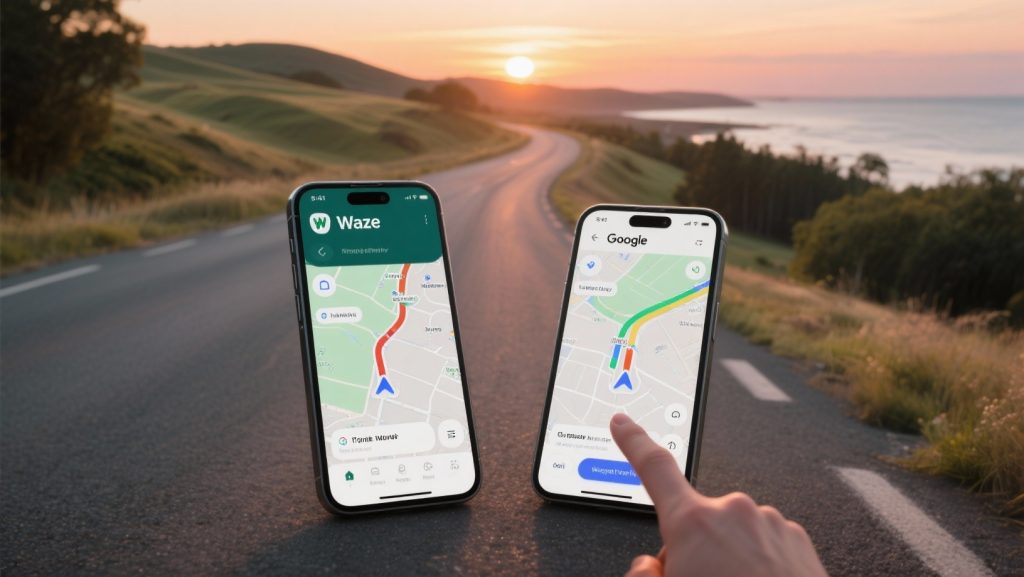
For the smart traveller looking for the best route, the comparison between Waze vs Google Maps: which to choose for live traffic shows a clear difference. Waze is preferred for up-to-the-minute traffic jam and speed camera information. Google Maps is a more complete travel planner for those who also travel on foot, by bike, or using public transport. But which app truly suits your travel style and how do you make the best choice for your next driving holiday? The details make all the difference.
nnThe fundamental difference: community versus data
n nTo make a good choice between Waze and Google Maps, it is important to understand how both applications gather their information. Although they are owned by the same parent company, Google, their approach is fundamentally different. This difference forms the basis of their strengths and weaknesses.
nnnWaze is built entirely on the power of its community. The live traffic information comes from other Waze users, who actively report traffic jams, accidents, speed cameras, road hazards, or stationary vehicles. When you use Waze, you also anonymously share data about your driving speed, which helps the app map traffic flow. This makes Waze very responsive and quick to pick up sudden changes on the road.
nnnGoogle Maps takes a broader approach. The app also collects anonymous location data from millions of users to measure traffic congestion. In addition, Google combines this information with historical traffic data to recognise patterns and make predictions. Furthermore, Google Maps integrates data from local authorities and official bodies. This method makes Google Maps very reliable and predictive, even in areas with fewer active users.
nnnn‘ Waze is proactive and will not hesitate to direct you off the motorway and through secondary roads or even residential areas to bypass a traffic jam. ’
n
Speed and route choice: why Waze is often more proactive
n nA common experience is that Waze suggests faster routes than Google Maps. This is due to the app’s algorithm, which is designed to get you to your destination as quickly as possible, even if the time saving is minimal. Waze is proactive and will not hesitate to direct you off the motorway and through secondary roads or even residential areas to bypass a traffic jam. For drivers where every minute counts, this is a major advantage. However, this can lead to more complex and sometimes more stressful routes.
nnnGoogle Maps is more conservative in this regard. The app only suggests an alternative route if the time saving is significant. The focus is more on a smooth and logical driving experience, with a preference for main roads. This often results in a more relaxed journey, even if it takes a few minutes longer. The choice therefore depends on your personal preference: the fastest way or the most straightforward way.
n
Is Waze better than Google Maps for traffic jams and speed cameras?
n nFor avoiding current traffic problems and receiving warnings, Waze is generally the better choice. Thanks to its active community, reports of traffic jams, accidents, and speed cameras appear almost immediately on the map. Users can confirm these reports, which increases reliability. This real-time nature gives Waze an advantage in unexpected situations.
nnnGoogle Maps has caught up in recent years. The app has adopted features from Waze, such as reporting incidents and speed cameras. However, the reporting function in Waze remains central to the application and is therefore often faster and more detailed. For travellers who prioritise avoiding fines and unexpected delays, Waze offers the most up-to-date information.
nnMore than just driving: the versatility of Google Maps
n nWhere Waze focuses purely on motorists, Google Maps is a complete travel assistant. This is where Google Maps proves its added value, especially for travellers who do more than just drive. The app seamlessly integrates routes for public transport, including live departure times, walking paths, and cycling routes. This makes it an ideal tool for a city trip, where you park the car on the outskirts of the city and continue your journey using other means of transport.
nnnAnother important advantage of Google Maps is the ability to save maps offline. This is a boon for travelling in areas with poor internet connection or to avoid high data costs abroad. Waze requires an active internet connection to function properly. Additionally, Google Maps offers much more detailed information about locations, such as restaurant opening times, reviews of attractions, and Street View to explore your destination beforehand.
nnnn‘ A good navigation app is an indispensable part of your travel preparation. ’
n
The practical choice for your trip
n nThe best app depends on the type of trip and your personal preferences. Using a combination of both apps is often the smartest approach. Below is an overview to help you choose.
nnn- n n
- Use Waze if:n
- n
- Your main goal is to avoid traffic jams and delays as quickly as possible during a car journey. nn n
- You find real-time warnings for speed cameras and road hazards important. nn n
- You mainly drive in busy, urban areas where there are many other Waze users. nn
n - Use Google Maps if:n n
- n n
- You are looking for an all-round travel planner that also offers walking, cycling, and public transport routes. nn n
- You need offline maps to limit data usage or for areas with poor reception. nn n
- You want to consult detailed information about locations, such as opening times and reviews. nn n
- You prefer more relaxed routes on main roads. nn
n
A good navigation app is an indispensable part of your travel preparation. On the website of Traveler Tips, you will find many more in-depth guides and practical advice to plan your driving holiday or road trip down to the last detail, from the best routes in Europe to the mandatory equipment per country. Discover more on our website and travel smarter and with more enjoyment.
nFrequently Asked Questions
nWaze offers the best live traffic updates thanks to active user reports, ideal for bypassing traffic jams on unfamiliar holiday routes, especially in busy areas. Google Maps excels in reliability due to combined data and offline options, making it more accurate in sparsely populated zones and useful with poor data connection. For long road trips abroad, it is recommended to use Waze for quick updates on local obstacles and Google Maps for flexibility, such as offline maps. Google Maps now also integrates Waze alerts, narrowing the gap between the two apps.
nnFor extra functionalities such as interesting stops, parking options, and petrol stations during a road trip, Waze offers the best options. Waze excels in fast, real-time updates on local obstacles and directly warns of traffic jams and speed cameras, partly thanks to active user reports. Although Google Maps is more reliable in sparsely populated areas and offers offline maps, Waze, with its focus on community-driven information and rerouting functions, is ideal for budget travellers and bypassing traffic. Using both apps is recommended for the most optimal travel planning, with Waze serving for live action and Google Maps for backup and discovering destinations.
nnAlthough both apps offer live traffic information, Waze is often more user-friendly for a passenger navigating, especially due to its faster and more proactive user updates on traffic jams, accidents, and speed cameras. Google Maps is more reliable in sparsely populated areas and offers convenient offline maps, but is less direct in reporting minor obstacles. Waze’s community-driven reports make it ideal for bypassing traffic jams on unfamiliar routes. For an optimal experience, it may be useful to use both apps simultaneously.
nnWaze’s community-driven approach, with user reports on traffic jams, accidents, and speed cameras, results in faster and more proactive traffic updates than Google Maps. Waze is therefore often more accurate in busy areas with many active users, while Google Maps, using broader data from multiple sources and algorithms, is generally more accurate, even in sparsely populated areas. Although Waze is ideal for bypassing traffic jams, Google Maps offers greater reliability through historical data and predictive algorithms, as well as offline options. Google Maps now also integrates Waze alerts, which narrows the gap.
nnGoogle Maps is the most suitable app for areas with limited internet access or for minimising data usage during international travel, thanks to its ability to download offline maps. Waze uses more data due to constant updates and is more ideal for live traffic updates in busy areas. Although Waze excels in proactive route adjustments, Google Maps offers broader accuracy, even in sparsely populated zones. For optimal travel planning, both apps can be used simultaneously: Waze for live traffic and Google Maps for backup and discovery.
nn