 NL
NL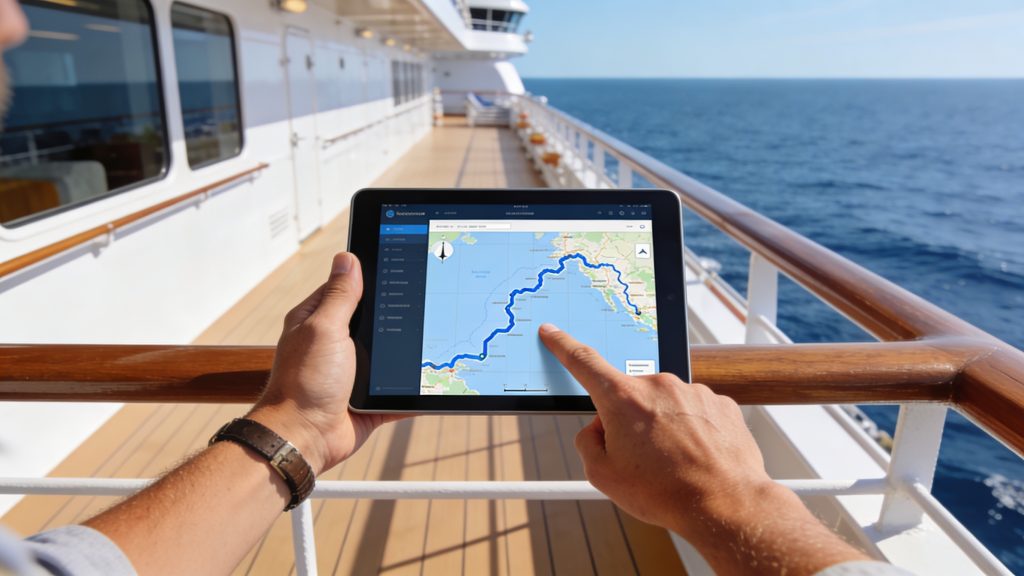
A modern cruise ship is a floating city with dozens of decks, restaurants, theatres and swimming pools. With smart preparation and the right tools, you’ll find your way from day one. You don’t need to wander around endlessly. This article shows which apps, deck plans and practical tips are useful. They help you navigate on board quickly and efficiently, so you can start your trip feeling relaxed.
Download the ship’s app before you go on board
Many cruise lines offer a free app that lets you explore the ship digitally. These apps show interactive deck plans. They also display daily schedules and the locations of all facilities. Holland America, for example, has the Navigator app, while other cruise lines offer similar tools. Log in in advance with your booking details so you can already get familiar with the layout at home.
The app gives you real-time information. You can read all about restaurants, shows and events. You can see where the lifts and stairs are. You can plan routes to specific decks. On large ships with more than fifteen decks this is indispensable. Some apps even show your current position on the ship and calculate the estimated walking time to your destination.
Install the app at least a week before departure. Explore the virtual deck plan. That way, you’ll know where important places are. Think of the buffet, the theatre and your own cabin. If you are planning your first cruise, this preparation will save you a lot of time and stress on the first day on board.
‘ They know the ship inside out and are happy to help you. ’
Use deck plans and clear signposting
Besides digital tools, every ship has physical deck plans. You’ll find them in the lobby. They are also available at the central atrium. These plans give an overview of all decks and show colour codes to help you orient yourself quickly. Many ships use different colours for the forward section. The midship section gets a different colour. The aft of the ship also has its own colour. This way, you can see at a glance which part of the ship you are in.
Lifts and stairways are always clearly marked with deck numbers and symbols. Pay attention to the signs that indicate whether you are going up or down. Many cruise ships have separate lifts for passengers and crew. As a result, the routes remain logically separated. If in doubt, ask a crew member for directions. They know the ship inside out and are happy to help you.
Keep a paper deck plan handy and use it during your first walk around the ship. Mark important locations such as the main restaurant, the bar and the pool. This gives you a mental map you can use for the rest of your trip.

Plan routes and avoid crowds with digital tools
Advanced ship apps show you where everything is. They also show how busy certain places are. This helps you choose quieter routes, especially at popular times such as dinner time or just before a show. The app can suggest alternative routes. Sometimes lifts are full. Certain passageways may also be temporarily closed for maintenance. The app then helps you find another way around.
In the app you can enter your deck and cabin number for personalised route guidance. This way, you get direct instructions from your cabin to the restaurant or excursion meeting point. Some apps also integrate weather information. This is useful if you want to walk outside on deck. You’ll know whether an outdoor route will be comfortable or whether it’s better to navigate through the inside of the ship.
Activate offline mode before you leave. At sea, the signal can be weak, and you don’t want to depend on an internet connection to find your way. With offline maps and saved routes you always stay mobile, even in the middle of the ocean.
Explore the ship systematically on the first day
The first day on board is the ideal moment to explore the ship at your leisure. There is no time pressure. Start at your cabin. Then walk systematically through the corridors. Look for the nearest lift or stairway. Mentally note the number of doors between your cabin and important exits. Count the doors or remember visual details. This will later help you find your way back quickly without having to search.
Next, walk to the main facilities you’ll use every day:
- The main restaurant and buffet restaurant
- The theatre or show lounge
- The main pools and sun decks
- The reception and guest services
- The excursions desk
Also try out alternative routes. Opt for less obvious ways around. Some ships have outer decks with walkways that are quicker than the central corridors. Discover where there are extra lifts or stairways. These are often less busy. This gives you flexibility if the main routes are crowded.
‘ These subtle differences help you to navigate with less conscious effort. ’
Make use of waypoints and fixed landmarks
Experienced cruisers recommend creating waypoints, either in your head or in the app. Choose places you visit often. A waypoint is a fixed point that you use as a starting point to navigate further. Think of the grand lobby, the central atrium or a striking artwork on a particular deck. From such a landmark you can easily find your way to your destination.
Also use visual characteristics. Many ships have artworks, colours or themes per deck. Suppose your cabin is on the deck with the blue colour and sea theme. You’ll then find it more quickly. Pay attention to details. Look at the shape of the windows. Also note the type of carpet. These subtle differences help you to navigate with less conscious effort.
Some apps let you add personal notes. You can link these to specific locations. Write down which lift is quickest from your cabin or where you’ve found the best seat at the buffet. These small memory aids make your stay more pleasant and more efficient.
Ask the crew for help and join guided tours
Many cruise ships offer a free tour for new passengers on the first day. A crew member takes you past the main decks and explains the layout. This is a valuable opportunity to ask questions. You get tips that aren’t in an app, such as where the quiet spots are or which times are least busy at popular facilities.
You can always speak to a crew member even after the first day, and you definitely should if you are unsure about anything. They know the shortest routes. They can also tell you about hidden corners and lesser-known facilities. Don’t be shy about asking for help. The crew are there to make your stay as pleasant as possible.
If there is no official tour, you can ask at reception whether someone has time to show you around. Some ships organise this on request, especially for families with children and for passengers who find large buildings difficult to navigate.
Understand how deck numbers and ship terminology work
Cruise ships use a standard numbering system for all decks. The lowest numbers are usually near the waterline. Higher numbers refer to the upper decks. The main deck with the lobby often has a central number, such as deck 5 or deck 6. From there you can go up to pools and restaurants, or down to cabins and engine rooms.
Also learn the basic terminology you’ll come across everywhere:
- Voor (bow): the front of the ship
- Achter (stern): the back of the ship
- Bakboord (port): the left-hand side when you are facing forward
- Stuurboord (starboard): the right-hand side when you are facing forward
These terms appear on deck plans and in the app. Once you know them, you’ll immediately understand where a restaurant or show is located. It prevents confusion and makes communication with the crew easier.
‘ This prevents disappointment and wasted time. ’
Use advanced features for an optimal experience
Modern ship apps sometimes integrate advanced navigation technology, which is becoming increasingly available on board. Think of features such as live weather data, the ship’s speed and even its course. This information is especially interesting if you want to know more about the journey itself. It also contributes to your sense of orientation. If you know in which direction the ship is sailing, you can better estimate where the sun will rise and where you’ll have the best views.
Some apps offer premium versions with extra route planning options and detailed schedules. These versions often cost a small fee. They can be useful on longer cruises with lots of excursions and activities. Check in advance whether the free features are enough and then decide whether you want more functions.
Activate notifications for changes to the schedule. Also switch on alerts for maintenance in certain areas of the ship. That way, you’ll always know whether your favourite pool is open or whether a lift is temporarily out of service. This prevents disappointment and wasted time.

Stay flexible and enjoy exploring
Even with the best preparation, you’ll get lost now and then. Don’t see this as a problem. See it as a chance to discover new parts of the ship. Many passengers stumble across hidden bars, quiet reading corners or beautiful viewpoints this way, which they would otherwise have missed.
Use your first cruise as a learning experience. After a few days you’ll know the main routes by heart and you’ll navigate almost automatically. On future cruises you’ll recognise patterns and layouts more quickly. It will become easier on other ships as well. The experience you gain helps you become more efficient each time.
Take photos of important places with your phone. Also photograph routes you use often. You can look back at them later to refresh your memory. It also helps you give friends and family at home an impression of the size and layout of the ship.
Find out more about cruises and travel inspiration
Navigating on board is only one aspect of a successful cruise. On the Traveler Tips website you’ll find extensive information. You can read tips for planning your trip, advice for excursions, packing lists and many more practical articles. You might be preparing for your first cruise, or you may already be experienced – there’s always something new to discover. Explore the website and get the most out of your next trip.
Frequently asked questions
Use the official ship’s app (such as Navigator) to see interactive deck plans, routes and expected walking times, and enter your cabin number for personalised navigation. Practise with the app before departure and explore the virtual deck plans so you know where key places such as restaurants, theatre and pool are. Combine the app with the clear signs and deck plans on board: for example, start at the atrium to orient yourself and then choose the quietest route. Save frequently used locations as a ‘favourite’ or ‘waypoint’ so you can walk back to them quickly later without searching.
For onboard navigation you can usually use the official ship’s app (for example Navigator), with interactive deck plans and route planning. In addition, there are digital nautical apps such as WinGPS Marine that show your position, speed and waypoints. On the ship itself you’ll find physical deck plans and clear signposting at lifts, stairways and the atrium. Crew members can also give you a personal tour if needed so you can get to know the most important locations.
Yes, many cruise lines offer recommended walking routes around the ship in their app or daily programme, such as an “orientation walk” on day 1 past bars, restaurants and the theatre. Guided tours are often organised by the crew as well, for example a spa tour or culinary tour, during which you discover important locations. You can also ask at the guest services desk for a map with a suggested route along the main hotspots. By consciously doing a circuit on day 1 past buffet, main restaurant, theatre, pool and sports decks, you’ll usually avoid missing any key places.
You can plan in advance by downloading the ship’s app at home and exploring the virtual deck plans and daily schedule so you can make a list of restaurants, bars, pools and entertainment you want to visit. In the app you can often enter your cabin number and mark your favourite facilities, which gives you personal routes and reminders. The onboard navigation shows your current position on the ship, indicates the quickest way to a chosen facility and sometimes also gives the estimated walking time. This allows you to plan your day in time blocks and easily choose alternative routes if somewhere is busy.